← BACK TO HUSHNETWORK.APP

HUSH SETUP GUIDE

Members.
Insiders.
Your network.

HUSH is built for two sides of the same world. Find out which one you are and how to get started.

MEMBERS SUBSCRIPTION

3-Day Free Trial — then $4.99/month

Full access to every feature. Cancel any time from your iPhone settings.

HUSH MEMBER · THE WORKER

You do the work.
HUSH tracks it.

HUSH Members are the service industry professionals — bartenders, nail techs, hair stylists, photographers, DJs, servers, and more. The app is built around your workflow, your clients, and your income.

💰
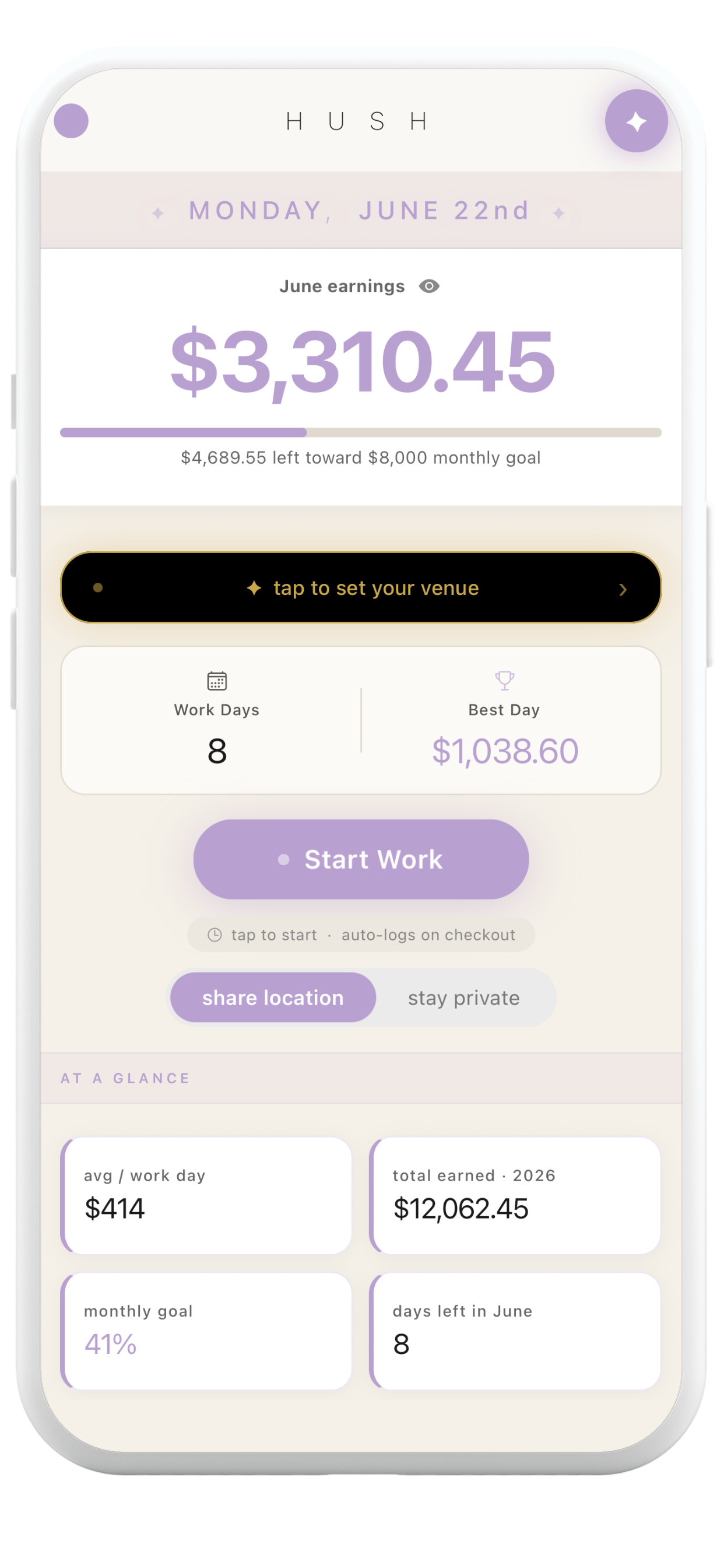
Shift Tracker
Log every shift, tip, and dollar in real time. View your earnings by day, week, or month.
🎯
Income Goals
Set weekly and monthly targets. Your progress updates in real time every time you log a shift.
👥
Client Book
Full client profiles — notes, spending history, preferences, and contact info all in one private place.
💳
Client Payments
Receive payments directly from your clients inside the app. Fast, private, and no third-party apps needed.
📍
Venue Intel
Check in when you go live. Your data contributes to real earnings intel so the whole community knows which venues pay.
🔒
Ghost Mode
Your earnings are yours alone. Ghost Mode keeps your income completely private — no one in the community sees your numbers.

HOW TO GET STARTED AS A MEMBER

  1. 1
    Download HUSH Network
    Get the app from the App Store on your iPhone.
  2. 2
    Create Your Account
    Sign up with your email and set a password. Select "I'm a Worker" to set up your Member profile.
  3. 3
    Choose Your Role
    Select your profession — bartender, nail tech, hair stylist, photographer, DJ, cocktail server, and more.
  4. 4
    Start Your Free Trial
    Start your 3-day free trial to unlock full access. $4.99/month after — cancel any time from your iPhone settings.
  5. 5
    Log Your First Shift
    Tap Start Shift when you clock in. Add your tips and earnings when you clock out. HUSH handles the rest.
  6. 6
    Check In to Your Venue
    When you go live, check in to your venue. This adds to the Venue Intel database and lets your clients know where to find you — with Ghost Mode keeping your earnings private if you choose.
  7. 7
    Set Your Income Goal
    Set a weekly or monthly earnings target and watch your progress update every time you log a shift.
  8. 8
    Build Your Client Book
    Add your regulars, track their spending and preferences, and keep all your client info in one secure place.
HUSH INSIDER · THE CLIENT

Find your people.
Book. Pay. Connect.

HUSH Insiders are the clients — the people who want direct access to the best service industry professionals in their area. Search, connect, message, and pay your favorites all in one place.

🔍
Search Members
Find HUSH Members near you — browse by role, city, and availability. See who's live right now.
💬
Direct Messages
Message your favorite professionals directly inside the app. No need to track down phone numbers or Instagram handles.
💳
Payments
Send payments directly to your HUSH Members inside the app. Fast, simple, and private.
📒
Contacts
Save your favorite professionals as contacts and keep their info all in one place.
📅
Calendar
Keep track of your appointments and bookings with your service providers.
📍
See Who's Live
Check which of your Members are currently working and where — so you know exactly where to go tonight.

HOW TO GET STARTED AS AN INSIDER

  1. 1
    Download HUSH Network
    Get the app from the App Store on your iPhone.
  2. 2
    Create Your Account
    Sign up with your email and set a password. Select "I'm a Client" to set up your Insider profile.
  3. 3
    Search for Members
    Browse HUSH Members in your area. Filter by profession, city, or see who's live right now.
  4. 4
    Send a Connection Request
    Tap Request on a Member's profile to connect. Once they accept, you can message, pay, and save them as a contact.
  5. 5
    Message Your Favorites
    Use direct messages to communicate with your professionals — no need to swap numbers or go off-platform.
  6. 6
    Send Payments
    Pay your Members directly inside the app. Simple and secure — no cash, no Venmo, no hassle.
  7. 7
    Save Your Contacts & Calendar
    Save your go-to professionals as contacts and use the calendar to keep track of your appointments.